From Idea to Shipped App in 5 Minutes: I Built a Floating Camera Overlay with One Prompt
I wanted a circular webcam overlay that floats above PowerPoint for podcast recordings. One prompt to Claude Code. Five minutes later, it was running. Here's the exact prompt, the result, and why this is the new way to build software.
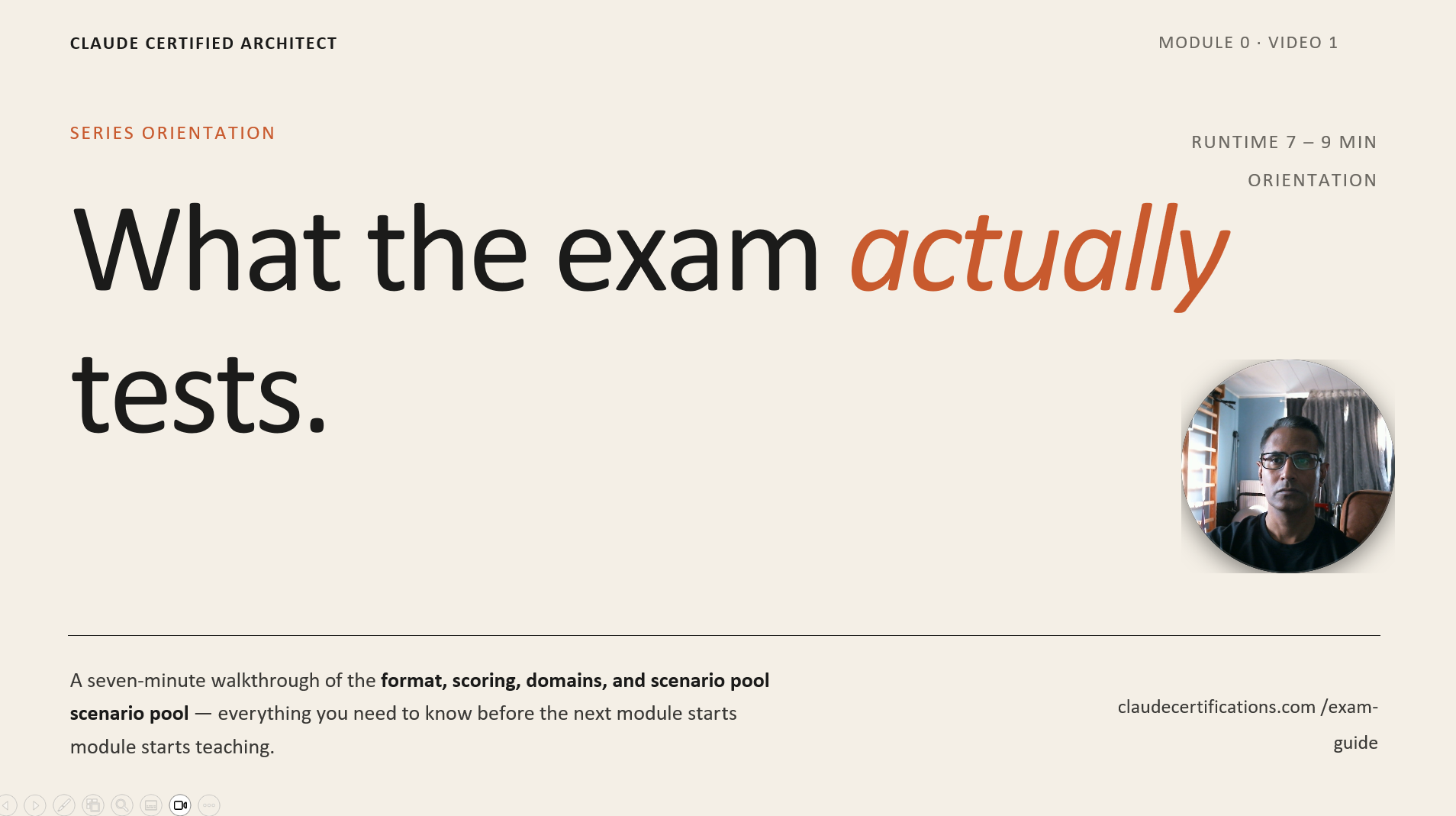
Most software ideas die in the gap between "I wish this existed" and "I have time to build it." That gap used to be measured in evenings and weekends. With Claude Code, I just measured it in minutes — and the result is the screenshot above: a frameless, always-on-top webcam circle that sits over my slides while I record podcasts.
I didn't watch a tutorial. I didn't open Stack Overflow. I didn't read the Electron docs. I wrote one prompt — what I now call my "golden prompt" — and let Claude Code do the rest. This post is the full receipt: the prompt, the workflow, the output, and the lesson for anyone still building software the slow way.
The itch: a presenter overlay that doesn't exist for free
I record podcast-style videos using PowerPoint slideshow mode and Clipchamp for screen capture. Tools like Loom and mmhmm have a beautiful circular webcam overlay that floats anywhere on your screen — even over a fullscreen presentation. It's the single feature that makes a recording feel modern instead of corporate. But I didn't want another subscription, and I didn't want to switch recorders.
So I described exactly what I wanted, in plain English, the same way I'd brief a contractor. No architecture diagrams. No package selection. No scaffolding. Just the outcome.
The golden prompt
As an architect and full stack developer, build a small application which captures the camera and display in a circular shape.

When I present the screen for podcast, I want to overlay this anywhere I want, even over the PPT presentation.

I will be recording using Clipchamp, I hope I can record the audio with that.
That's it. No "use Electron." No "make it transparent." No "pin it above fullscreen apps." I trusted Claude Code to make the right architectural calls — and it did.
What Claude Code did in five minutes
I pasted the prompt into Claude Code, hit enter, and watched it work. Here's what it shipped — without me writing a single line:
- Picked Electron as the right runtime — because regular browser windows can't sit on top of a fullscreen PowerPoint slideshow on Windows.
- Created a frameless, transparent BrowserWindow pinned at screen-saver level so it stays above PowerPoint F5 mode.
- Wired up getUserMedia to stream the webcam into a circular CSS-clipped <video> element.
- Made the overlay draggable, scroll-to-resize from 120 px to 800 px, and locked the 1:1 aspect ratio.
- Added a dropdown that auto-refreshes when I plug in a new camera, and remembered my selection across launches.
- Bound a global Ctrl+Shift+C hotkey to toggle click-through mode while presenting.
- Tested it — and confirmed in writing — against PowerPoint slideshow and Presenter View on a second monitor.
Five minutes. One prompt. A working desktop app I now use every time I record. The repo is live at github.com/raffimd2/camera-floating-panel — go look at the code if you want to see what "shipped from a sentence" looks like.
Why this prompt worked (and yours can too)
I get asked all the time: "How do you write prompts that produce real software, not toy demos?" My honest answer: I don't think about prompting. I think about briefing. The golden prompt above does four things that most prompts skip:
- Role first. "As an architect and full stack developer" sets the bar. Claude Code makes architecture decisions, not just code suggestions.
- Outcome, not stack. I described what the user (me) experiences. I let Claude pick Electron, getUserMedia, the window flags. That's its job.
- Real-world context. "Recording with Clipchamp," "over the PPT presentation" — these aren't requirements, they're constraints. Constraints make the design better.
- Permission to be honest. "I hope I can record the audio with that" tells the model: if my assumption is wrong, say so. It did.
“Stop writing prompts. Start writing briefs. The model is a senior engineer — treat it like one.”
— What I tell every developer asking me how to use Claude Code
What used to take a weekend now takes a coffee
Six months ago, this exact project would have been: 30 minutes Googling "how to make Electron window stay above fullscreen," 45 minutes wiring up the camera permissions, an hour fighting CSS to clip a square video into a circle without distortion, another hour on the resize-and-drag math. Half a day, easy. And I would have shipped it half-broken.
With Claude Code, the bottleneck is no longer typing speed or lookup speed. It's clarity of intent. The faster you can describe what you actually want — including the messy real-world constraints — the faster you ship. The model handles the rest: the package choice, the platform quirks, the testing.
Try the golden prompt yourself
Open Claude Code. Pick the smallest tool you've been wishing existed — the one you keep saying "someone should build this." Now describe it the way you'd describe it to a senior engineer over coffee. Persona. Outcome. Constraints. Hit enter.
When you're done, I'd love to see what you built. The Camera Floating Panel is live on my GitHub if you want to fork it, ship a feature, or just see how the model structured the code. The repo is the proof — but the prompt is the lesson.
Related Articles
Stop Building AI Agents — Watch This First (The 2026 Reality Check)
Everyone is shipping 'AI agents' in 2026. Most of them shouldn't be. Before you write a single tool call, here's the framework that separates real agents from expensive chatbots — and the four mistakes that quietly kill 90% of agent projects.
How AI Agents Actually Work in 2026 — The Digital Person Mental Model
Forget the hype. An AI agent is just a brain with rules, hands, and memory — wired in a loop. This is the mental model that makes every architecture decision obvious, with the four layers, the agentic loop, and the patterns that ship in production.